
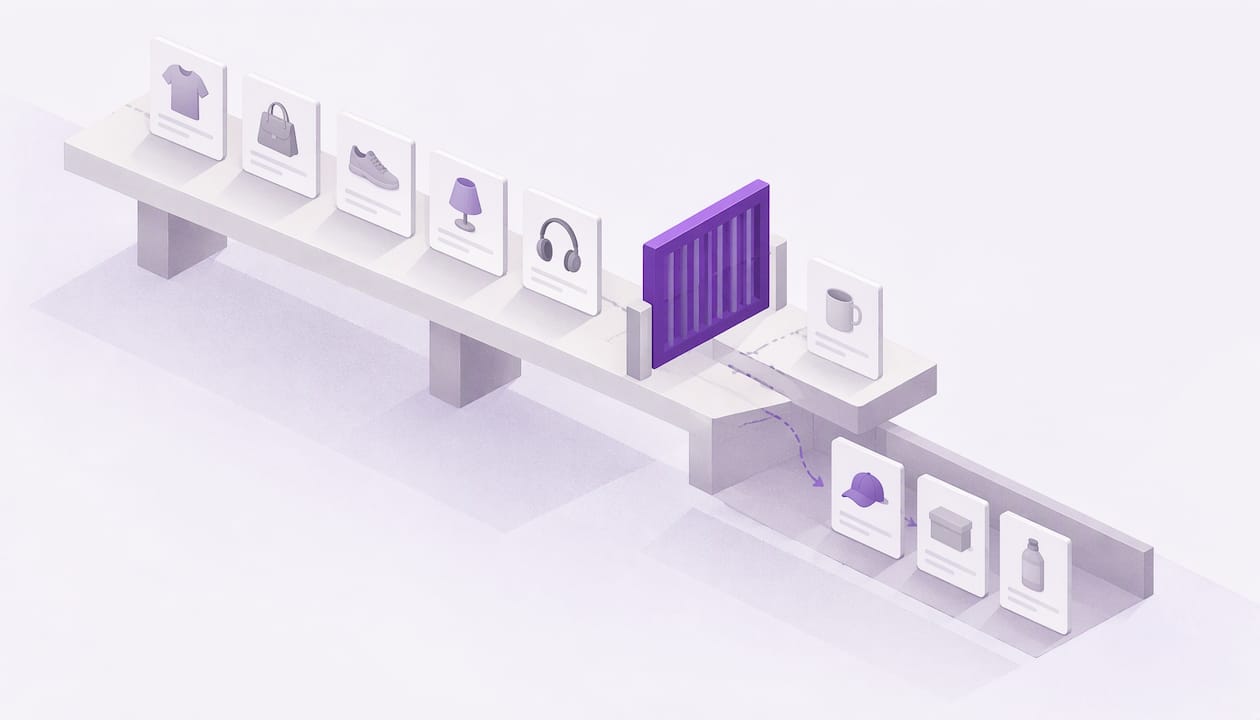
When products vanish from Google Shopping, the cause almost always sits in one of four places: the free listings change in Europe, the Merchant Center account, the product data in your feed, or your Shopping ads campaign. Work through them in that order and you will usually find it in an afternoon. Most of the fixes are feed-side, which is why a feed that rebuilds on a schedule, with every attribute filled in, prevents most repeat problems. That is the job Textfinity does for Swedish and other European stores.
TL;DR
- First decide what is missing: free listings, paid Shopping ads, or ordinary Google Search results. The fixes differ.
- In September 2026 free product listings fell sharply across Sweden, Germany, France, Belgium and the Netherlands. A drop in free traffic may not be a fault in your account.
- In Merchant Center, check Visibility and Status for each product, then open the Needs attention tab for the cause.
- The usual feed culprits are price or availability mismatches, missing brand, GTIN, colour, size or gender values, a stale feed and an unselected Comparison Shopping Service (CSS).
- After fixing, resubmit the data, request a review where Google offers one, and confirm in the Products list.
Table of Contents
- Step 1: Find out where the products are missing
- Why free listings dropped across Europe in September 2026
- Step 2: Read the status of each product in Merchant Center
- Step 3: Fix the feed errors that hide products
- Step 4: If Shopping ads are the problem
- Step 5: Request a review and confirm the fix
- Why stores prevent this with a managed feed
- A quick checklist when products disappear
- FAQ
- Sources
Step 1: Find out where the products are missing
The phrase “not showing on Google Shopping” covers three different surfaces, and the diagnosis depends on which one you mean.
- Free listings. Google says eligible free listings can appear on Search, the Shopping tab, Images, Lens, YouTube and Gemini. The setting is on by default, but being on does not guarantee that products show.
- Shopping ads. Paid placements that need a linked Google Ads account, a campaign, a budget and a bid.
- Ordinary Google Search results. Your own product page not ranking for its name is an SEO question. Other retailers selling the same item can outrank you. Feed work does not change that on its own.
Test it properly. Search for a product from a logged-out browser, in Swedish and from a Swedish location, because Google tailors results to location and search history. Then compare with the Visibility column in Merchant Center, described below. If Merchant Center shows a green dot but you cannot find the product, you are probably looking at ranking, not eligibility.
Why free listings dropped across Europe in September 2026
If your free traffic fell around mid-September 2026, read this before touching your feed.
Marketing News Room reports that free product listings dropped 90 to 100% between 16 and 18 September 2026 in Germany, France, Belgium, Sweden and the Netherlands, as measured by Productrise. Google’s Ads Liaison, Ginny Marvin, said the removal follows from the EU Digital Markets Act (DMA), the law that restricts gatekeepers from favouring their own services. The same report notes that the Shopping tab left the search bar and that comparison sites now fill the space.
A company blog summary ties this to the European Commission’s decision of 23 July 2026, which gave Alphabet 60 days to end the self-preferencing. Products can still show free on the Shopping tab, Maps, Images and Lens, and paid Shopping ads kept running.
What this means for you:
- A sudden fall in free Search impressions after 16 September is a market-wide change, not a disapproval. Your products can still be fine.
- Free listings in Europe now run through a CSS, a Comparison Shopping Service. Google’s help page explains that each merchant domain can select only one CSS to represent it for free listings. If your Merchant Center account is tied to a different CSS, products are disapproved with “CSS not selected for this destination”. The fix is in the CSS dashboard inside the Merchant Center account where you have claimed your website.
- For paid ads, Google states that in the EEA you take part in Shopping ads through one or several CSSs of your choice, and that product data must be sent at least every 30 days and meet the product data specification.
Sweden is on Google’s list of countries supported for free product listings. If you sell on Shopify through the Google & YouTube app, products are opted in to free surfaces automatically.
Step 2: Read the status of each product in Merchant Center
Open Merchant Center, go to Products and look at two columns. Google’s guide to visibility and status explains them:
| What you see | What it means |
|---|---|
| Visibility: green dot | The product is showing |
| Status: Processing | Usually up to 15 minutes |
| Status: Under review | Typically up to 3 to 5 business days |
| Status: Approved | Eligible to show |
| Status: Limited | Showing on fewer surfaces or countries |
| Status: Not approved | Not showing until fixed |
A new product that has been “Under review” for two days is not broken. Do not edit it repeatedly, because each change can restart the wait.
Product issues versus account issues
Google separates issues in Merchant Center by reach. Product-level warnings, disapprovals and preemptive item disapprovals affect individual items. Setup and policy problems affect every product. Warnings keep a product showing, though performance may be limited, while a disapproval stops it showing until it is fixed.
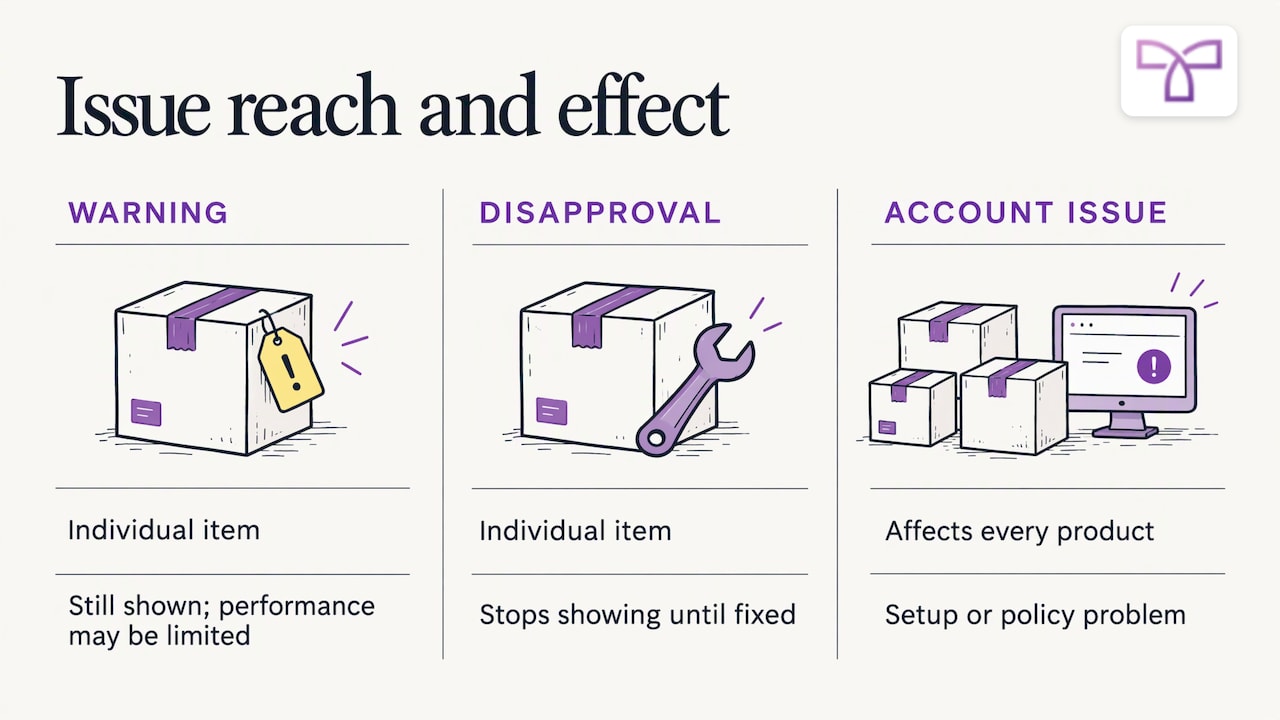
If all products vanish at once, look at the account first: a suspension, a missing website claim, an incomplete business profile or a policy violation. Egregious violations can lead to immediate suspension without warning.
Use the Needs attention tab
The Needs attention tab ranks issues by impact in three summary cards. A Prioritized fixes toggle hides low-impact issues. You can filter and download the list of affected products, and each issue page shows the business impact, suggested actions and sample products. Download the list and sort it by issue type. Ten different errors across 2,000 products are often one mapping mistake repeated.
Developers and agencies can pull the same data through the Merchant API: products.list returns a product status with destination statuses and item-level issues, and accountissues.list covers account-wide problems.
Step 3: Fix the feed errors that hide products
Most disapprovals come from the data, and the data usually comes from the shop platform. Google’s product issues page names the recurring ones:
- Price or availability mismatch. The feed says one thing, the landing page or structured data another. This often happens when a feed refreshes once a day while the shop changes prices hourly. See our guide to Google Shopping price mismatch.
- Missing brand, MPN or GTIN. The GTIN is the barcode number. Without a valid one, many products lose reach.
- Missing age group, colour, size or gender. Clothing and shoes need these attributes. A Shopify or WooCommerce export often leaves them empty.
- Invalid values. Availability written in Swedish instead of the accepted values, or prices without a currency code.
Google’s advice is to correct the discrepancy in the feed, the landing page or the structured data, resubmit, and request a review for price mismatch issues.
Check that the file was processed
Google notes that data sources can take a few minutes to a few hours to process, depending on file size. If a product is in your raw file but missing under All products, open Settings, then Data sources, and read the What needs attention column. Then reupload the file or press Update.
Two more traps sit in the feed. A feed that is not refreshed within 30 days expires, and a product whose expiration date has passed stops serving. Both are quiet failures: nothing alerts you until sales dip.
Titles and descriptions matter for visibility
A product can be approved and still be invisible because its title matches no one’s search. Google titles can run to 150 characters, and the first 70 carry the most weight, so put brand, product type and the key attribute first. Our guide to product title optimisation covers patterns by category, and the Google Shopping product title template gives a starting layout.
For a deeper look at feed-side repairs, see disapproved products in Merchant Center and the Google Shopping feed spec.
Step 4: If Shopping ads are the problem
When products are approved but paid ads do not appear, the issue is in Google Ads. Google’s product diagnostics report three statuses: Eligible, Eligible (limited) and Not eligible, at account, campaign, listing group and ad group levels. Account-level “Not eligible” can come from:
- a campaign that is pending, ended or paused;
- a paused ad group or asset group;
- products excluded in the listing groups;
- an inventory filter that leaves your products out.
If no Shopping campaign serves at all, Google tells you to check whether the Merchant Center account is suspended or correctly linked to the Google Ads account.
Also check the unglamorous things: budget exhausted early in the day, bids too low for the competition, a country target that does not include Sweden, and a language setting that does not match the feed’s language. Multi-market stores stumble here, because a feed published for Sweden in Swedish will not match a campaign targeted at Norway or Germany. For the German setup, see our guide to the Google Shopping feed for Germany.
Step 5: Request a review and confirm the fix
After you have corrected the data, the order of operations matters.
- Fix at the source. Change the product data in the shop or feed, not only in Merchant Center, or the next refresh will undo your work.
- Refresh the feed. Fetch the data source again and wait for processing.
- Request a review where it is offered. Google’s help describes that for account-level issues, crawls usually finish within 24 to 48 hours, though some violations need extra verification and limit how many reviews you can request. Reviews after account fixes can take up to 7 days.
- Confirm. In Products, filter by the issue you fixed. The count should fall, and the Visibility column should show a green dot. Then check Needs attention for new issues, since fixing one can expose another.
- Watch performance. Free listings and ads data in Merchant Center will show impressions returning over the following days.
Do not resubmit the same unchanged file several times a day. It does not speed up review.
Why stores prevent this with a managed feed
The causes above share a pattern: data from Shopify, WooCommerce, Magento or PrestaShop reaches Google with gaps, and nobody notices until products drop out. Stores selling in several countries add a second layer: one feed per channel and market, in the right language, each in its own rules.
Textfinity reads your catalogue from Shopify, WooCommerce, Magento, PrestaShop, BigCommerce, a CSV, TSV or Google Shopping XML file, or a Google Sheet. It then maps, filters and publishes one feed per channel and market to a stable URL that rebuilds on a schedule. AI configs rewrite titles and descriptions to each channel’s rules and translate them into 25 European languages, with a review step before any text reaches a feed. Processing runs on German infrastructure, and the AI models are pinned to EU-hosted endpoints.
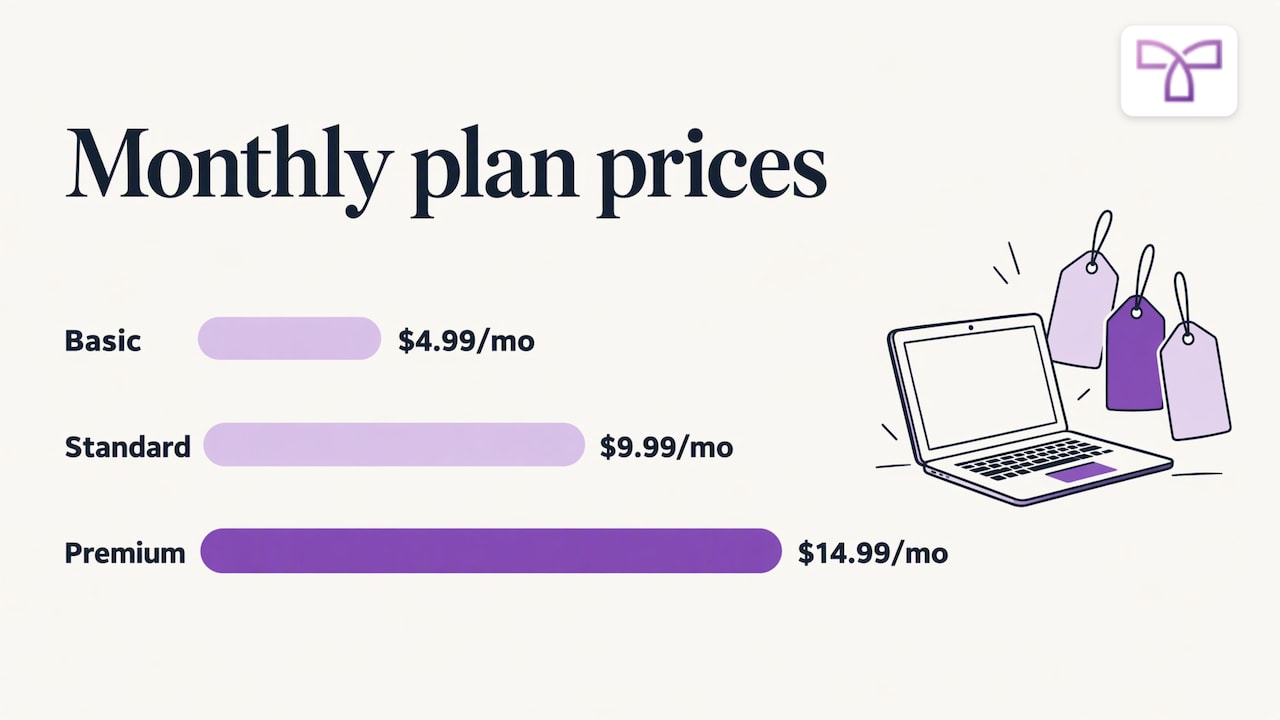
Plans start with a Free tier. Basic is $4.99 a month or $49.90 a year, Standard is $9.99 a month or $99.90 a year, and Premium is $14.99 a month or $149.90 a year. See the plans and pricing. If you would rather not do the connecting yourself, have us set it up: you send the store and channels, and we connect the catalogue, build the feeds and register them with you in each channel’s console.
Agencies running many stores can read how per-client set-up works. Small shops will find a lighter route in feeds for small businesses.
A quick checklist when products disappear
- Did the drop begin on 16 to 18 September 2026? Then think free listings and the DMA change first.
- Is the CSS selected for free listings the same one your account is associated with?
- Does Merchant Center show Not approved, Limited or Under review?
- Do price and availability in the feed match the landing page exactly?
- Are brand, GTIN, colour, size and gender filled where required?
- Was the feed processed in the last 30 days, and are expiration dates still in the future?
- Is the Google Ads account linked, the campaign live and Sweden targeted?
FAQ
Why are my products approved but still not showing?
Approval means eligibility, not a guaranteed placement. Google decides what to show using location, search history and relevance, so a product can be approved and still not appear for a given search. Check the Visibility column for the green dot, then test from a logged-out browser in Sweden.
How long does a Merchant Center review take?
New products are typically under review for 3 to 5 business days, and processing of a changed feed can take from a few minutes to a few hours. After account-level fixes, reviews can take up to 7 days. Check the Status column rather than resubmitting.
Did Google remove free listings in Sweden?
Marketing News Room reports that free product listings fell by 90 to 100% in Sweden and four other countries between 16 and 18 September 2026, following the EU Digital Markets Act. Products can still show free on some surfaces such as the Shopping tab, Maps, Images and Lens, and paid Shopping ads kept running. Make sure your CSS selection is correct.
Why did my products vanish after a feed update?
A new export may have changed IDs, dropped attributes or sent a price that differs from the page. Open Needs attention, filter by the newest issue and compare a sample product in the feed with its landing page. Fix it at the source and refresh.
Can missing attributes alone hide products?
Yes. Google lists missing colour, size, age group, gender, brand and GTIN among the issues that affect products. Filling them in at the source, or mapping them in your feed, brings the affected items back after the next processing run.
Sources
- Free listings for products, Google Merchant Center Help
- Google drops free product listings across Europe, Marketing News Room
- Google removes free product listings from EEA search, Pinmeto
- How to fix: CSS not selected for free listings, Google Merchant Center Help
- Requirements for Shopping ads, Google Ads Help
- Show your products for free on Google, Google Merchant Center Help
- Check product visibility and status in Merchant Center
- Issues in Merchant Center, Google Merchant Center Help
- The Needs attention tab, Google Merchant Center Help
- List your products data and product issues, Merchant API
- About Product issues, Google Ads Help
- Check your product data in Merchant Center
- Troubleshooting: Merchant Center Account issues, Google Ads Help
- About Product diagnostics, Google Ads Help
- Issues in Merchant Center (review timing), Google Merchant Center Help